The Best WordPress Website Designer can help transform your online presence and create a website that supports your business goals. Whether you’re starting a new company or updating an existing website, choosing the right professional can make a significant difference in your online success. A well-designed WordPress website should be fast, mobile-friendly, easy to navigate, and optimized to attract and convert potential customers.
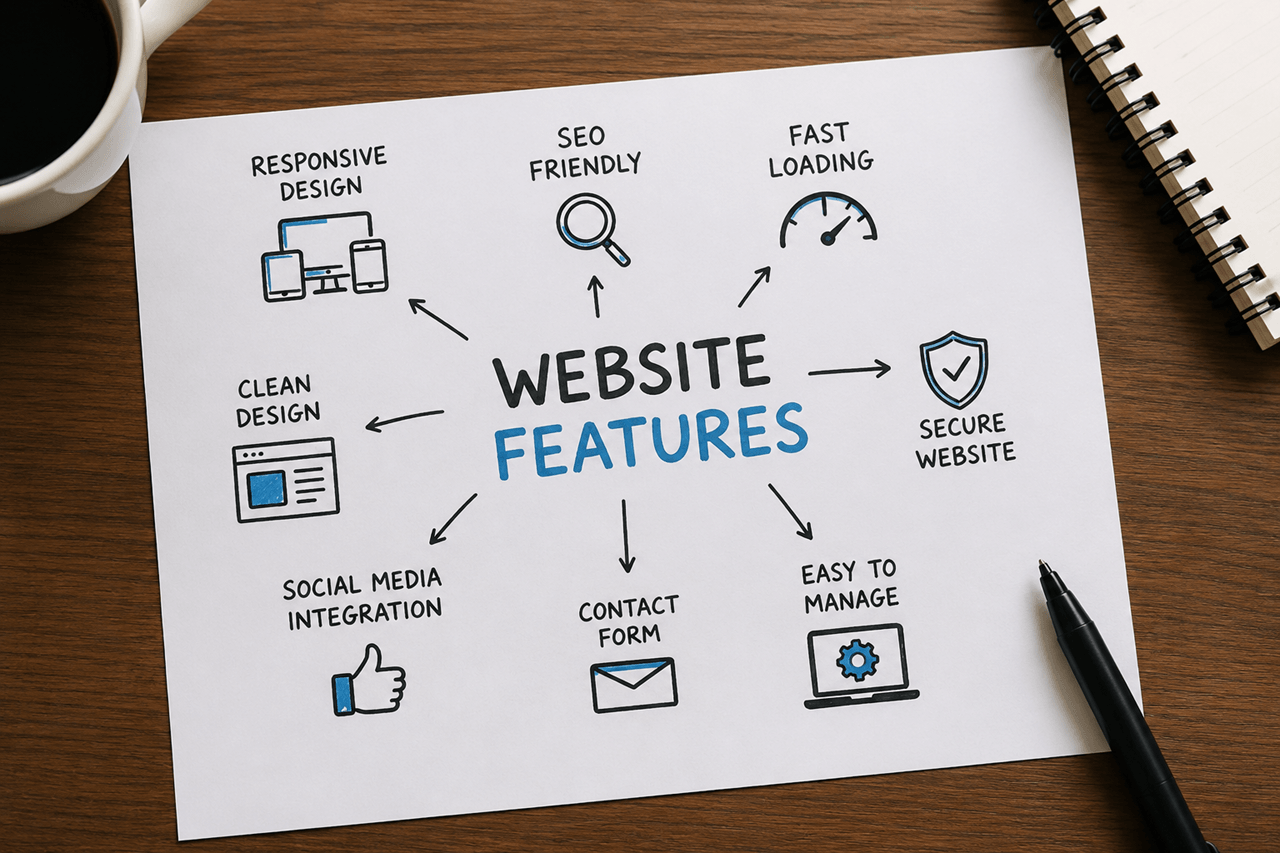
A professional website should do more than look attractive. It should load quickly, work well on every device, rank in search engines, and help convert visitors into customers.
In this guide, you’ll learn how to choose the right WordPress website designer, what features matter most, and the mistakes to avoid before investing in your new website.
Why WordPress Is the Preferred Choice
WordPress powers more websites than any other content management system because it’s flexible, scalable, and easy to manage.
Businesses choose WordPress because it offers:
- Full ownership of your website
- Thousands of plugins and integrations
- Excellent SEO capabilities
- Mobile-friendly design options
- Easy content management
- Strong security when properly maintained
Whether you’re running a local business, an online store, or a professional service, WordPress provides room to grow.
What Makes a Best WordPress Website Designer?
Not every designer delivers the same level of quality. Before hiring someone, consider these important factors.
1. A Strong Portfolio
Review previous projects carefully.
Ask yourself:
- Are the websites modern?
- Do they load quickly?
- Are they mobile-friendly?
- Are they easy to navigate?
A quality portfolio shows consistency across different industries.
2. Experience With Your Business Type
Different businesses have different needs.
For example:
- Roofing companies
- Law firms
- Medical clinics
- Restaurants
- E-commerce stores
- Consultants
You can find more to portfolio page:
A designer familiar with your industry can recommend features that improve user experience and conversions.
3. SEO-Friendly Development
A beautiful website won’t help much if customers can’t find it.
A professional WordPress website should include:
- Clean page structure
- Fast loading speed
- Mobile optimization
- Proper heading hierarchy
- SEO-friendly URLs
- Optimized images
- Schema markup where appropriate
4. Responsive Design
More than half of website visitors browse using mobile devices.
Your website should display properly on:
- Desktop computers
- Laptops
- Tablets
- Smartphones
A responsive design improves both user experience and search engine performance.
5. Website Speed
Slow websites lose visitors quickly.
A skilled WordPress designer should optimize:
- Image sizes
- Caching
- CSS and JavaScript
- Hosting recommendations
- Core Web Vitals
Even small improvements in speed can have a positive impact on engagement and conversions.
Questions to Ask Before Hiring
Before making a decision, ask questions like:
- Will I own the website after it’s completed?
- Which page builder will be used?
- Can I edit content myself?
- Will the website be optimized for SEO?
- Is training included?
- What happens if I need future updates?
Clear answers help prevent misunderstandings later.
Common Mistakes to Avoid
Many businesses regret choosing the lowest-priced option.
Common mistakes include:
- Choosing based only on price
- Ignoring portfolio quality
- Forgetting about website speed
- Not planning for SEO
- Using too many unnecessary plugins
- Hiring without discussing maintenance
A website is a long-term investment. Quality work often delivers better value over time.
How Much Does a WordPress Website Cost?
Pricing depends on the project’s complexity.
Typical ranges include:
| Website Type | Estimated Cost (USD) |
|---|---|
| Landing Page | $150–400 |
| Small Business Website | $400–1,500 |
| Corporate Website | $1,500–5,000+ |
| WooCommerce Store | $800–5,000+ |
You can check my Fiverr Profile
Remember that pricing should reflect experience, quality, support, and long-term value rather than just the number of pages.
Why Ongoing Maintenance Matters
Launching a website is only the beginning.
Regular maintenance helps keep your site:
- Secure
- Fast
- Compatible with plugin updates
- Backed up
- Performing well in search engines
A maintenance plan can prevent costly issues before they happen.
Final Thoughts
Choosing the right WordPress website designer is about finding someone who understands your business goals, communicates clearly, and builds websites that perform well for both visitors and search engines.
Finding the Best WordPress Website Designer can make a significant difference in your business’s online success. Whether you’re launching a new website or redesigning an existing one, working with the Best WordPress Website Designer ensures your site is visually appealing, fast, mobile-friendly, and built with SEO in mind. Before making a decision, it’s important to understand what separates the Best WordPress Website Designer from the rest, including experience, portfolio quality, and technical expertise. This guide will help you choose the Best WordPress Website Designer who can create a professional website that supports your long-term business growth.
Frequently Asked Questions
How long does a WordPress website take to build?
Most small business websites are completed within 1–4 weeks, depending on the project scope and content availability.
Is WordPress suitable for small businesses?
Yes. WordPress is flexible, scalable, and supports everything from simple business websites to large eCommerce stores.
Can I update my website myself?
Yes. One of WordPress’s biggest advantages is that you can easily edit text, images, and blog posts without coding knowledge.
Should I choose Elementor or Gutenberg?
Both are excellent options. Elementor offers greater design flexibility, while Gutenberg provides a lightweight editing experience. The right choice depends on your project’s needs.
What’s the difference between a best WordPress website designer and a developer?
A designer focuses on layout, branding, and user experience, while a developer handles custom functionality, integrations, and advanced coding.
Find the best WordPress website designer with our complete guide. Learn what matters most before hiring a WordPress expert.
Looking for the best WordPress website designer? Learn what to look for, compare options, avoid costly mistakes, and choose the right expert for your business.